-1.png)
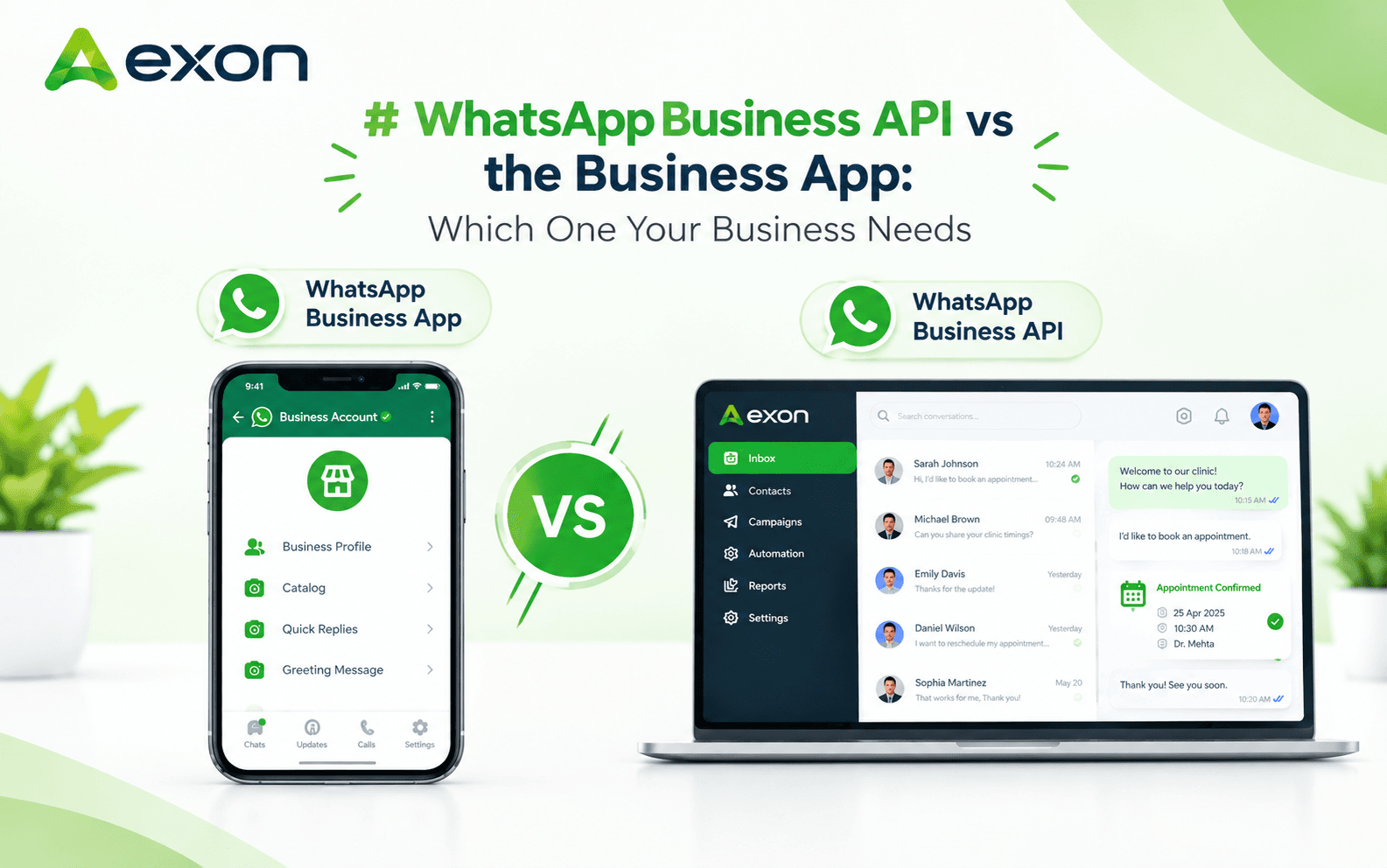
WhatsApp Business API vs the Business App: Which One Your Business Needs
The WhatsApp Business app works for solo operators and very small teams handling a low volume of chats manually on one phone. The WhatsApp Business API is built for businesses that need multiple agents, automation, CRM integration, and bulk messaging at scale. If you are still replying to customers one by one from a single device, or if you have outgrown that and need automated flows, team inboxes, and broadcast campaigns, the API is the one your business needs.
Here is the actual difference between the two, not just the marketing description, and how to tell which one fits your stage of growth.
What the WhatsApp Business App Actually Is
The WhatsApp Business app is a free, standalone mobile app, functionally similar to regular WhatsApp but with a few business features layered on:
- A business profile with address, hours, and category
- Quick replies for common questions
- Basic greeting and away messages
- Product catalogs viewable inside the chat
- Simple labels to tag conversations
It runs on one phone number, tied to one device (or a linked companion device), and one person operates it at a time. There is no way to route incoming chats to multiple agents, no API access for CRM or automation tools, and no bulk broadcast capability beyond what WhatsApp allows for personal accounts, which is minimal and easily flagged as spam if abused.
What the WhatsApp Business API Actually Is
The WhatsApp Business API is not an app at all. It is a messaging infrastructure that businesses access through an approved provider (like a CRM or automation platform), not something you download and open. It gives businesses:
- Multiple team members chatting from a shared number through a web-based inbox
- Automated flows: welcome messages, FAQ bots, multi-step qualification chats
- Bulk broadcast campaigns using Meta-approved templates, sent to thousands of contacts at once
- Full read/delivery analytics per message and per campaign
- Two-way integration with a CRM, so every chat becomes part of a customer record instead of living only in a phone's chat history
- Access to rich message types: carousels, interactive buttons, location pins, and structured lists
Because it runs through Meta's business infrastructure rather than a personal device, it also comes with policy guardrails, most notably the 24-hour customer service window, which restricts free-form replies to within 24 hours of a customer's last message unless you use an approved template.
Feature-by-Feature Comparison
Factor | WhatsApp Business App | WhatsApp Business API |
|---|---|---|
Cost | Free | Paid, usage-based (per conversation/template) |
Number of users | One device at a time | Multiple agents, shared inbox |
Automation | Basic greeting/away messages only | Full multi-step flow chatbots |
Bulk messaging | Not supported at scale | Bulk template broadcasts to large audiences |
CRM integration | None | Full integration, contact timelines, pipelines |
Analytics | None | Delivery, read, and failure tracking per campaign |
Team collaboration | Not possible | Shared inbox with assignment and internal notes |
Setup complexity | Install and go | Requires approved provider and template approval |
Best for | Solo owners, very low volume | Growing teams, sales and support at scale |
How to Decide Which One Fits Your Business
Ask these questions before choosing:
- How many people need to reply to customers? One person, one phone, no coordination needed: the app is fine. More than one person needs visibility into the same conversations: you need the API.
- Do you send the same message to many customers at once? Order updates, promotions, appointment reminders, or announcements sent to more than a handful of people at a time require the API. The app was never built for this and will get flagged for spam-like behavior if pushed that way.
- Do you need conversations tied to a CRM record? If a lead's WhatsApp chat needs to show up next to their deal stage, past orders, or support tickets, the app cannot do this. The API, connected to a CRM, can.
- Do you need automated qualification or FAQ handling? If your team spends time answering the same five questions repeatedly, an API-based chatbot flow removes that workload. The app's away message cannot hold a conversation.
- What is your monthly chat volume? Under a few dozen conversations a day, the app can be managed manually. Beyond that, response times slip and messages get missed without automation and a shared inbox.
If none of these apply yet, stick with the free app and revisit this once volume grows. If two or more apply, the API pays for itself quickly in time saved and leads not dropped.
Common Mistakes Businesses Make Here
- Staying on the app too long because it is free. The real cost is missed leads and slow replies once volume grows past what one person can handle, which is a bigger loss than the API's usage fees.
- Assuming the API means losing the "personal" feel. A properly configured API setup still lets a real agent take over any automated conversation, so it does not have to feel robotic.
- Not accounting for template approval time. Marketing and utility templates need Meta approval before they can be sent, so businesses that switch last-minute for a campaign often miss their launch window. Plan template submissions in advance.
- Ignoring the 24-hour window rule. Businesses that do not track this end up unable to reply to a customer outside the window without a pre-approved template, which frustrates both sides if the provider does not track it automatically.
- Choosing a provider without checking CRM depth. Some providers offer messaging only, without a real CRM behind it, which means no pipeline tracking, no contact history, and no automation beyond basic replies.
How Aexon Systems Handles WhatsApp Automation
Aexon Systems runs on the WhatsApp Business API from the ground up, not as an add-on to a messaging tool. That includes:
- A shared team inbox with real-time two-way messaging, read receipts, and automatic 24-hour window tracking so no team member accidentally messages a customer out of policy
- Bulk broadcast campaigns with Excel/CSV audience upload, dynamic variables, and live delivery analytics
- A visual flow builder for multi-step automation, including welcome messages, main-menu bots, and stop-on-reply logic that hands a conversation to a human the moment a customer engages
- Full CRM behind every chat, with contact timelines, pipeline stages, and lead assignment tied directly to the conversation
Aexon Systems has built automation like this across 100+ products for 20+ global clients, with an average of 45%+ of day-to-day operations automated for the businesses running on it. For a business trying to decide between the app and the API, the real decision is whether you want messaging alone or messaging connected to your actual sales and support process.
Want to see whether the WhatsApp Business API fits your business, and what automation could look like on top of it? Reach out to Aexon Systems at business@aexon.app or on WhatsApp at +91 81601 08049.
Yes, the API has usage-based costs tied to conversations and templates, while the app is free, but the API's cost is offset by the ability to handle far higher volume without adding staff, which usually makes it cheaper per resolved conversation at scale.
No. If a patient already has WhatsApp installed, which covers the large majority of smartphone users, they receive reminders directly with no separate app or download required.
No, most businesses access the API through a provider platform with a visual interface for flows, templates, and campaigns, so no direct coding is required for day-to-day use.
Business verification and initial API access typically takes a few days to a couple of weeks depending on Meta's review queue, while individual message templates are usually approved within 24 to 48 hours.
Small businesses can and do use it, particularly once they have more than one person handling customer chats or need any form of automation or bulk messaging, regardless of overall company size.